Paperwork and traceability without the spreadsheet mess.
Build welding and coating procedures, qualifications and inspection records in one project workspace. ForgeQM links supported records and flags missing or inconsistent information for review before issue.
ForgeQM is in a controlled rollout. Self-serve purchase is not available. Request a scoped trial, or contact sales for an Organisation suite.

What is in Forge
Modules for the complete QA workflow
Welding and Coating are complete working packages rather than collections of small add-ons. Organisation accounts can combine them with Project QA and controlled team access. The available automation shown in each workflow forms part of the agreed scope.
Welding Records
Create, review and revise PQR, WPS and welder qualification records in one controlled register.
Coating
Complete coating inspections and daily logs, record readings, and track inspection equipment and calibration.
Welding Inspection Reports
Record inspection results and supporting evidence, then prepare a consistent WIR for competent review and issue.
Project QA
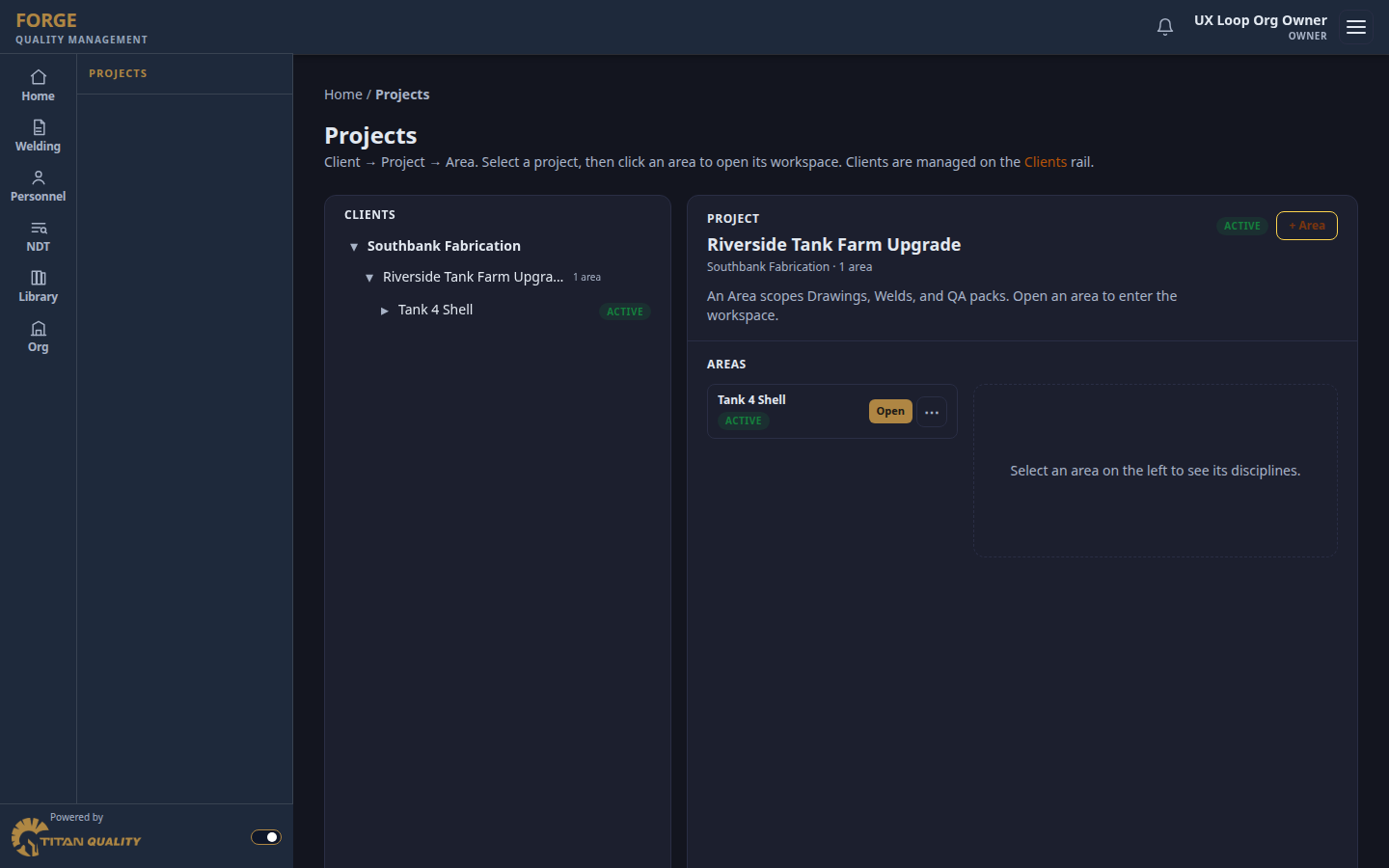
Organise work by client, project and area with ITP, material, weld, NDT, inspection and MDR paths.
ANVIL
Build joint detail and run sequence diagrams and save them directly into PQR and WPS records.
Checkers
Apply the checks implemented for the selected standard and flag inputs that still need competent review.
Forge Field
Capture PQR run data and coating readings on iPhone or iPad while work is underway.
Supporting Features
Manage personnel, equipment, materials, consumables, NDT requests, surveillance records and reusable report templates.
A measurable value case
Price the outcome against time genuinely returned
ForgeQM does not promise a fixed saving. A scoped pilot establishes the current effort, measures the same work in ForgeQM and gives the customer evidence for a commercial decision.
- Measure 1
Record the current effort
Baseline the time spent preparing, checking, finding and reworking the records in scope before the pilot starts.
- Measure 2
Measure the pilot
Compare document preparation, review cycles, field handover and missing-data follow-up using the same work types.
- Measure 3
Value the time returned
Multiply verified hours recovered by the organisation's loaded labour cost, then compare that result with the proposed subscription.
From job setup to handover
Follow the work, not a collection of disconnected forms
ForgeQM is organised around the project tasks a quality team completes. Each stage keeps its records linked to the same client, project and work area where the feature is supported.
- Step 1
Set up the controlled work
Create the client, project and work areas, then assign the people and permissions needed for the job.
- Step 2
Prepare welding records
Draft and review PQR, WPS and welder qualification records, with revisions and supporting evidence kept together.
- Step 3
Capture work and inspections
Record weld activity, welding inspections, coating conditions, readings, defects, photos and the responsible inspector.
- Step 4
Review project registers
Use weld, inspection, NDT, material and document views to find incomplete or inconsistent project records.
- Step 5
Prepare handover evidence
Collect the supported controlled records and attachments required for project review and MDR preparation.
Access in beta
Individual and Organisation
Choose Individual for a single user or Organisation for shared company records, controlled team access and Project QA. Self-serve checkout is not available during the controlled rollout.
The Individual Welding package includes WIR, checkers, Forge Field, calculators and ANVIL. The Individual Coating package includes inspections, checkers and Forge Field. ANVIL is also available on its own. Request a scoped trial for Individual packages, or contact sales for an Organisation suite that includes Projects.

Individual
For sole practitioners or one QA user managing their own records.
- One named user
- Complete Welding or Coating package, or standalone ANVIL
- Personal registers and document workspace
- Individual module scope is confirmed before an invitation is issued
- No shared roles or Project QA
Organisation
For companies that need shared records and controlled access across a team.
- Multiple named users
- Role-based permissions and controlled access
- Shared company registers and document history
- Project QA and governed project structure
- Scope, onboarding and pricing prepared through sales
Start building controlled, traceable records
Access is arranged through a scoped trial or sales during the controlled rollout.
ForgeQM is in a controlled rollout. Self-serve purchase is not available. Request a scoped trial, or contact sales for an Organisation suite.